

In today’s interconnected world, the landscape of work has evolved dramatically. Distributed teams, once a rarity, have become the norm. As companies embrace remote work and global collaboration, the need for effective project management tools has never been greater. With team members spread across different time zones and locations, coordinating tasks and ensuring seamless communication can be challenging. Fortunately, a plethora of project management tools are available to streamline workflows and enhance collaboration for distributed teams.
Embracing the Remote Revolution
The rise of remote work has transformed the traditional office setup. Employees are no longer confined to physical workspaces, enabling companies to tap into a global talent pool and promote flexibility. However, managing projects across distributed teams requires a strategic approach and the right set of tools.
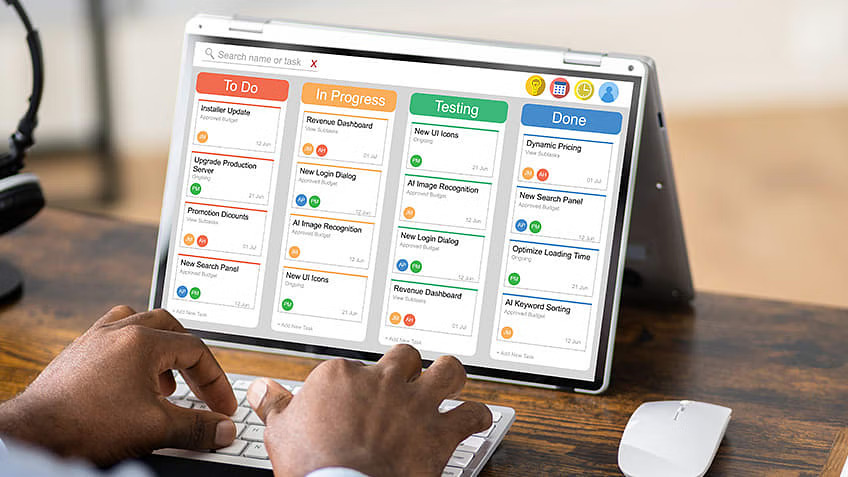
The Power of Project Management Tools
Project management tools serve as the backbone of remote collaboration, providing teams with the necessary infrastructure to organize tasks, track progress, and communicate effectively. From small startups to multinational corporations, these tools offer a range of features designed to streamline workflows and foster collaboration in virtual environments.
Choosing the Right Tool for Your Team
With countless options available, selecting the right project management tool can be overwhelming. Factors such as team size, project complexity, and budget considerations play a crucial role in the decision-making process. To help navigate this landscape, let’s explore some of the most popular project management tools for distributed teams:
1. Trello
Trello’s intuitive interface and visual approach make it a favorite among distributed teams. Using boards, lists, and cards, team members can organize tasks, assign responsibilities, and track progress in real-time. With customizable workflows and integration capabilities with other tools, Trello adapts to the unique needs of various teams and projects.
2. Asana
Asana offers a comprehensive suite of project management features tailored to distributed teams. From task tracking to deadline management, Asana provides a centralized platform for collaboration and communication. With its user-friendly interface and robust reporting tools, teams can stay aligned and focused on achieving their goals, regardless of their location.
3. Basecamp
Basecamp’s all-in-one approach simplifies project management for distributed teams. With features such as message boards, to-do lists, and file sharing, Basecamp fosters transparent communication and collaboration. Its intuitive design and mobile accessibility make it an ideal choice for teams on the go, ensuring seamless coordination across different time zones.
4. Slack
While not a traditional project management tool, Slack has revolutionized team communication for distributed teams. With its chat-based interface and integration capabilities, Slack facilitates real-time collaboration and information sharing. From quick status updates to detailed project discussions, Slack keeps teams connected and engaged, regardless of their geographical location.

Maximizing Collaboration and Productivity
Effective project management tools are more than just organizational platforms—they are catalysts for collaboration and productivity. By leveraging the right tools, distributed teams can overcome geographical barriers and work together seamlessly towards common objectives. Here are some tips for maximizing collaboration and productivity in distributed teams:
1. Establish Clear Goals and Expectations
Communication is key to successful remote collaboration. Establishing clear goals and expectations ensures that team members are aligned and focused on shared objectives. By defining roles, responsibilities, and deadlines upfront, teams can minimize confusion and work towards common goals with clarity and purpose.
2. Foster Open Communication
Encouraging open communication builds trust and transparency within distributed teams. Whether through video conferences, chat channels, or project management platforms, creating channels for dialogue allows team members to share ideas, ask questions, and address concerns in real-time. By fostering a culture of open communication, teams can overcome challenges and collaborate more effectively, regardless of their physical location.
3. Leverage Automation and Integration
Automation and integration capabilities streamline workflows and eliminate repetitive tasks, allowing teams to focus on high-value activities. By integrating project management tools with other software applications, teams can automate processes, synchronize data, and enhance collaboration across different platforms. Whether it’s syncing calendars, sharing files, or automating notifications, leveraging technology enables distributed teams to work smarter and more efficiently.
4. Prioritize Work-Life Balance
Remote work blurs the boundaries between professional and personal life, making it essential to prioritize work-life balance. Encouraging flexible schedules, promoting self-care, and respecting boundaries helps prevent burnout and fosters employee well-being. By supporting work-life balance, companies create a positive work environment where employees feel valued, motivated, and empowered to perform at their best.
Conclusion
In an era defined by remote work and distributed teams, effective project management tools are indispensable for fostering collaboration, driving productivity, and achieving organizational goals. By embracing the power of technology and adopting best practices for remote collaboration, teams can overcome geographical barriers and work together seamlessly towards shared objectives. With the right tools and mindset, the possibilities for remote collaboration are endless, paving the way for a more connected and productive future.